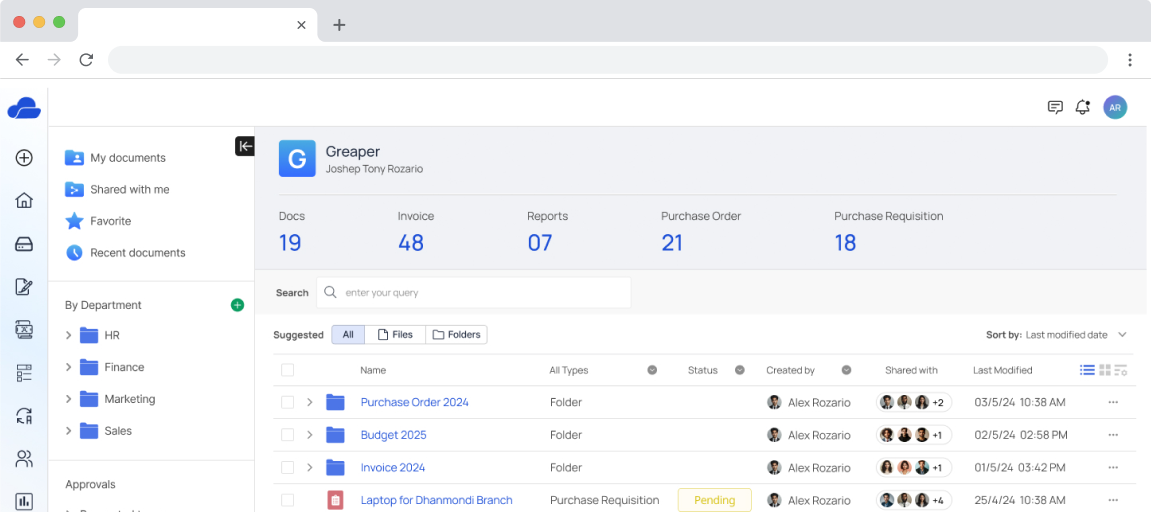
A manufacturing company, Greaper, is adding a document management and approval module to its ERP system to improve productivity and streamline operations.
My Roles
UX Lead — Interaction Design, Visual Design, User Flows, Rapid Prototyping
Timeline
2 Weeks
Problem
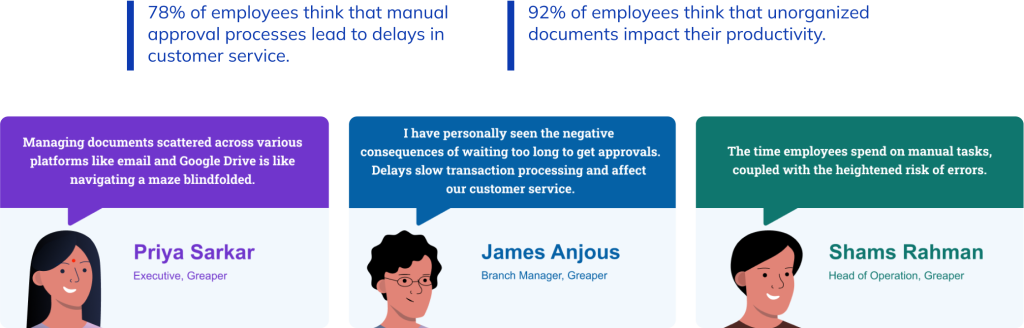
Our organization is hampered by inefficient approval processes, cumbersome document management systems, and operational inefficiencies. Approval delays, document management issues across systems, and overall inefficiencies are hurting productivity, customer satisfaction, and profits. To streamline processes, improve efficiency, and boost performance, these issues must be addressed.
Solution
To eliminate errors and improve document handling, use an integrated document management system, version control, and training. Eliminate unnecessary workflows, use data analytics to allocate resources, and encourage employee feedback to improve.
Discovery
In the Research and Discovery phase, we conducted user interviews, survey and contextual inquiries to gain insights into user behaviors, pain points, and preferences related to document management.
Key Findings
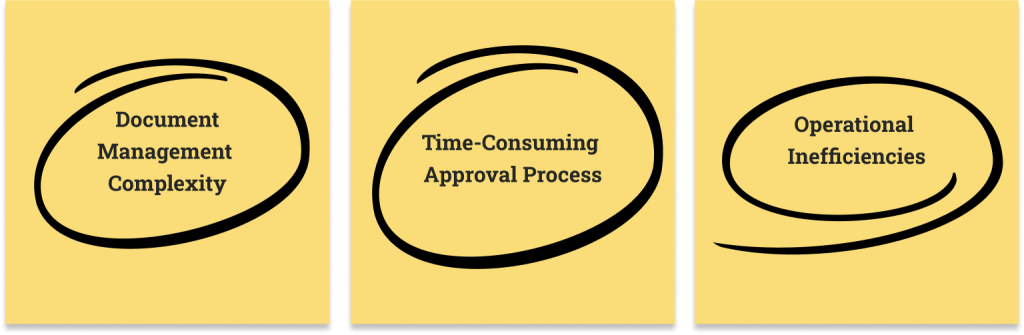
First, lengthy approval processes slow business operations. Second, document management complication hinders data organization and retrieval. Finally, operational inefficiencies reduce productivity and may affect company performance.
Ideation
User Flow
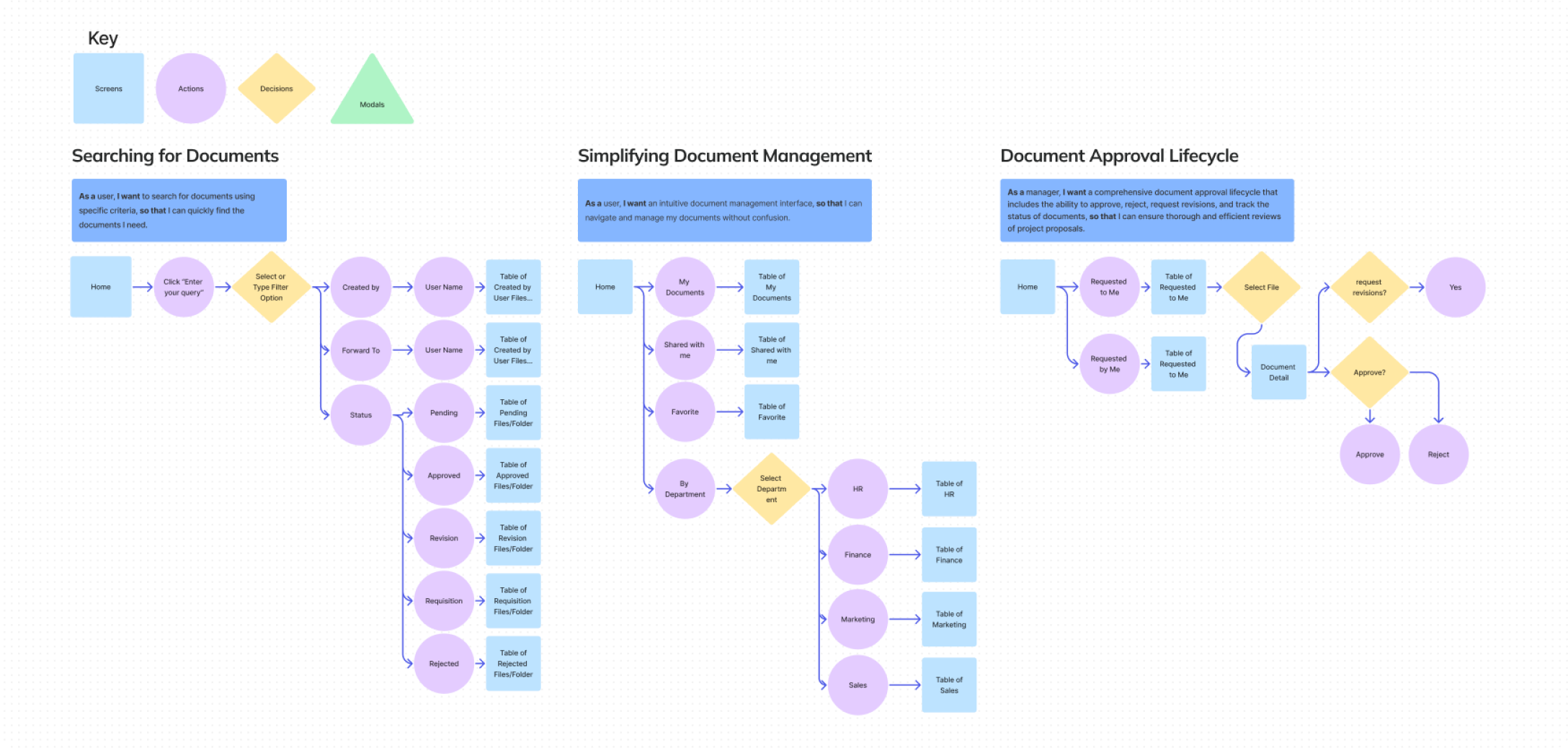
We created user flows that outline a streamlined document approval lifecycle, highlighting the key steps in organizing and managing document approvals.
Information Architecture
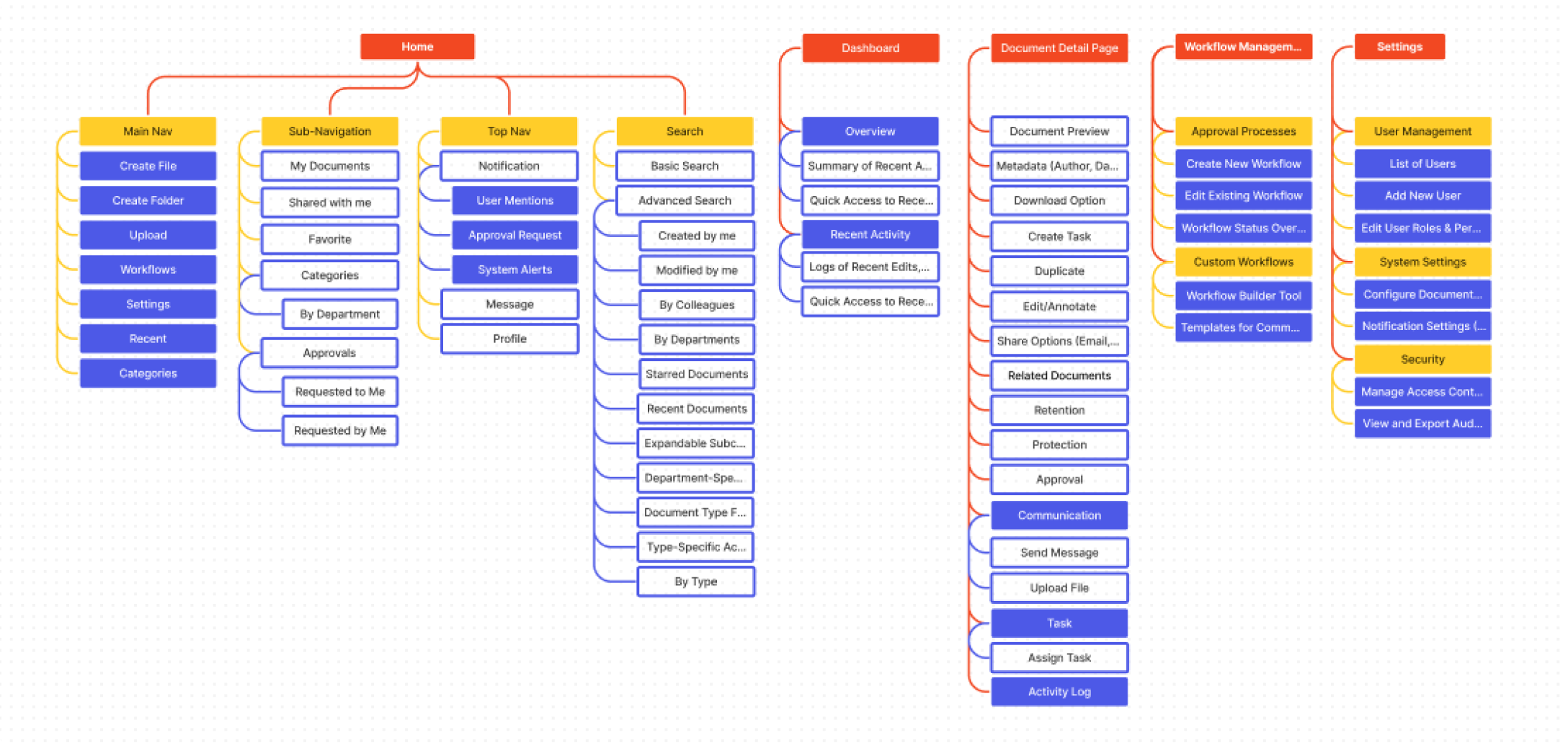
This information architecture ensures a clear and organized structure for managing documents, facilitating efficient approvals, and providing comprehensive tracking capabilities.
Design
UI Iterations
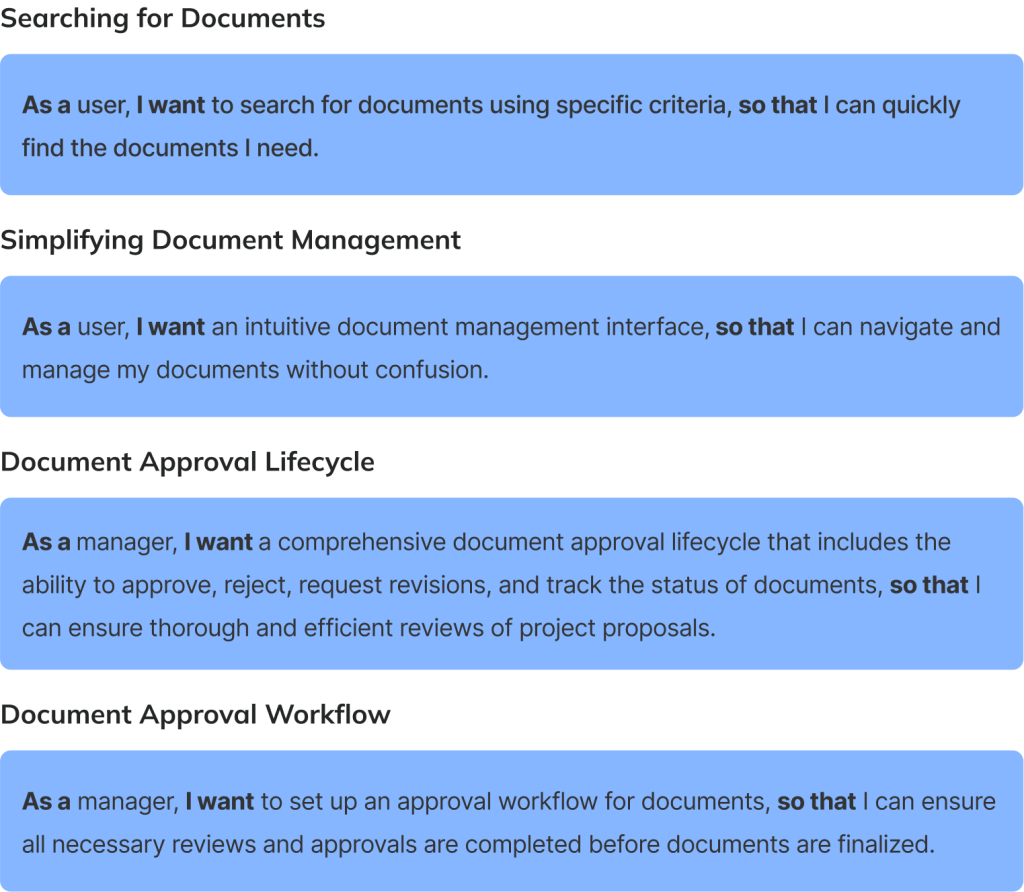
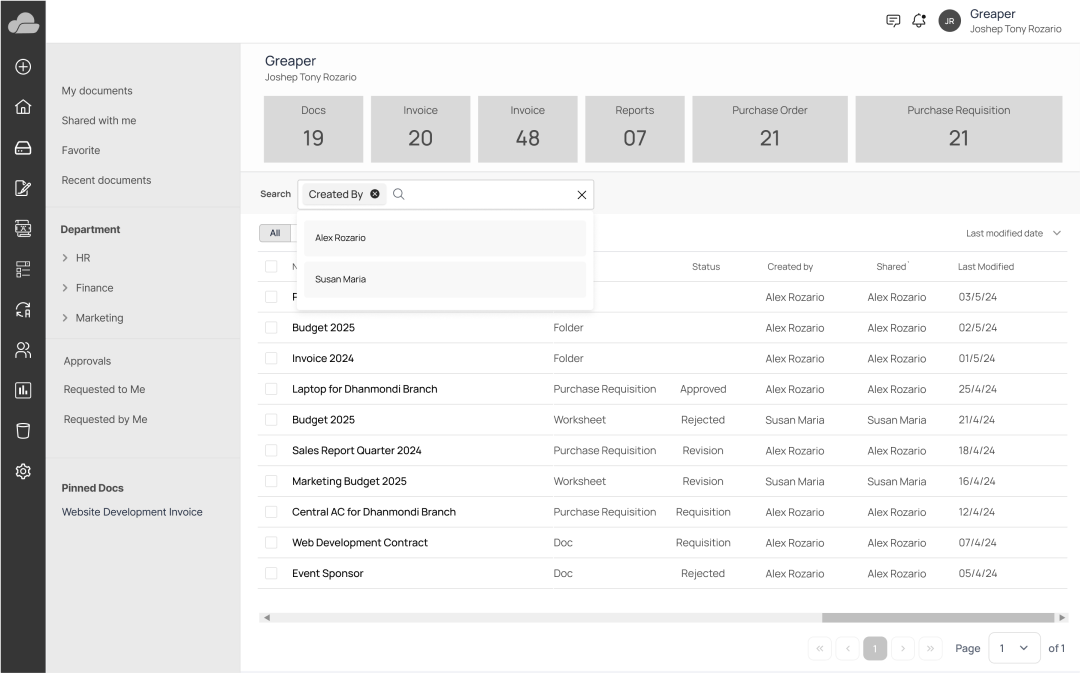
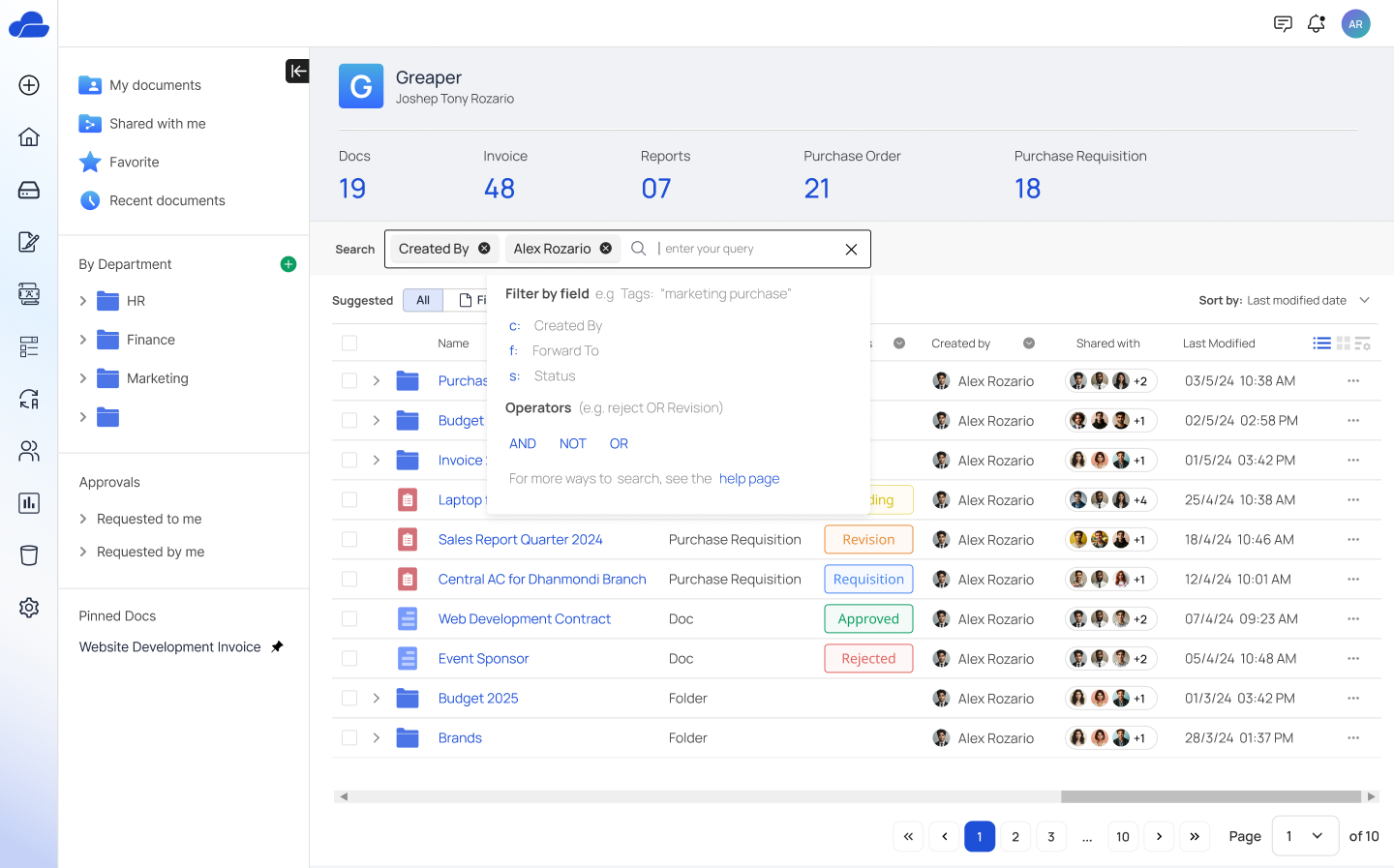
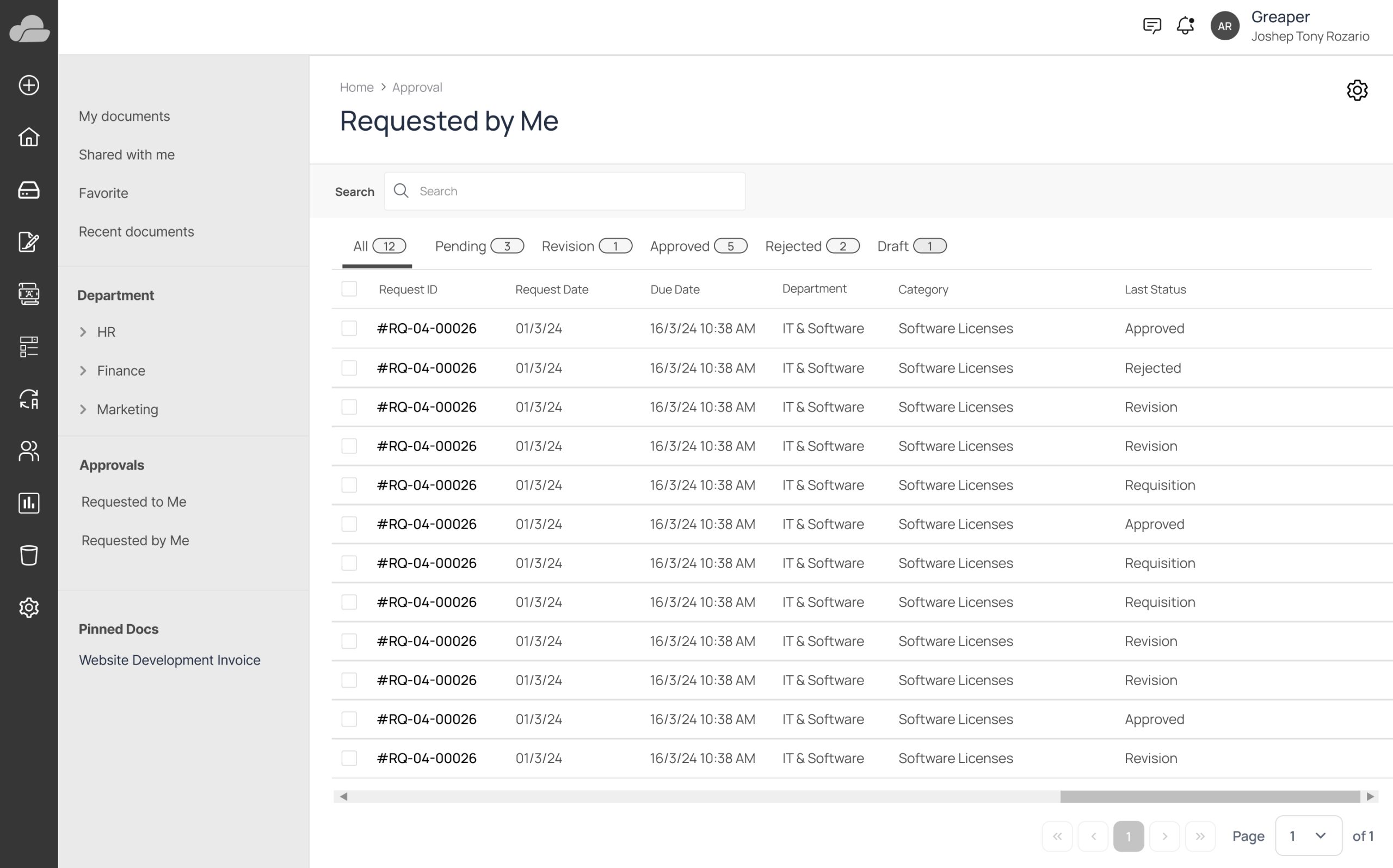
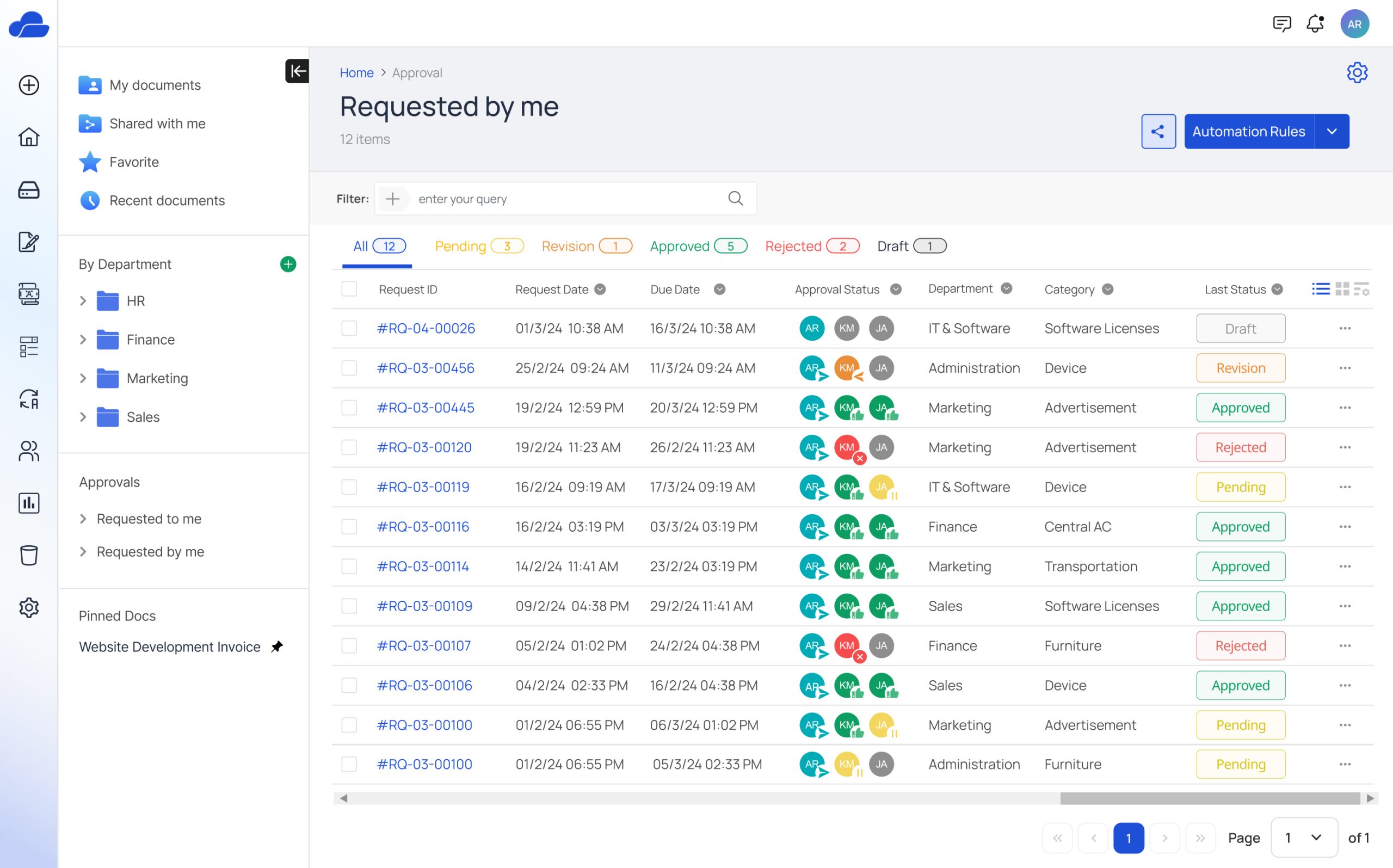
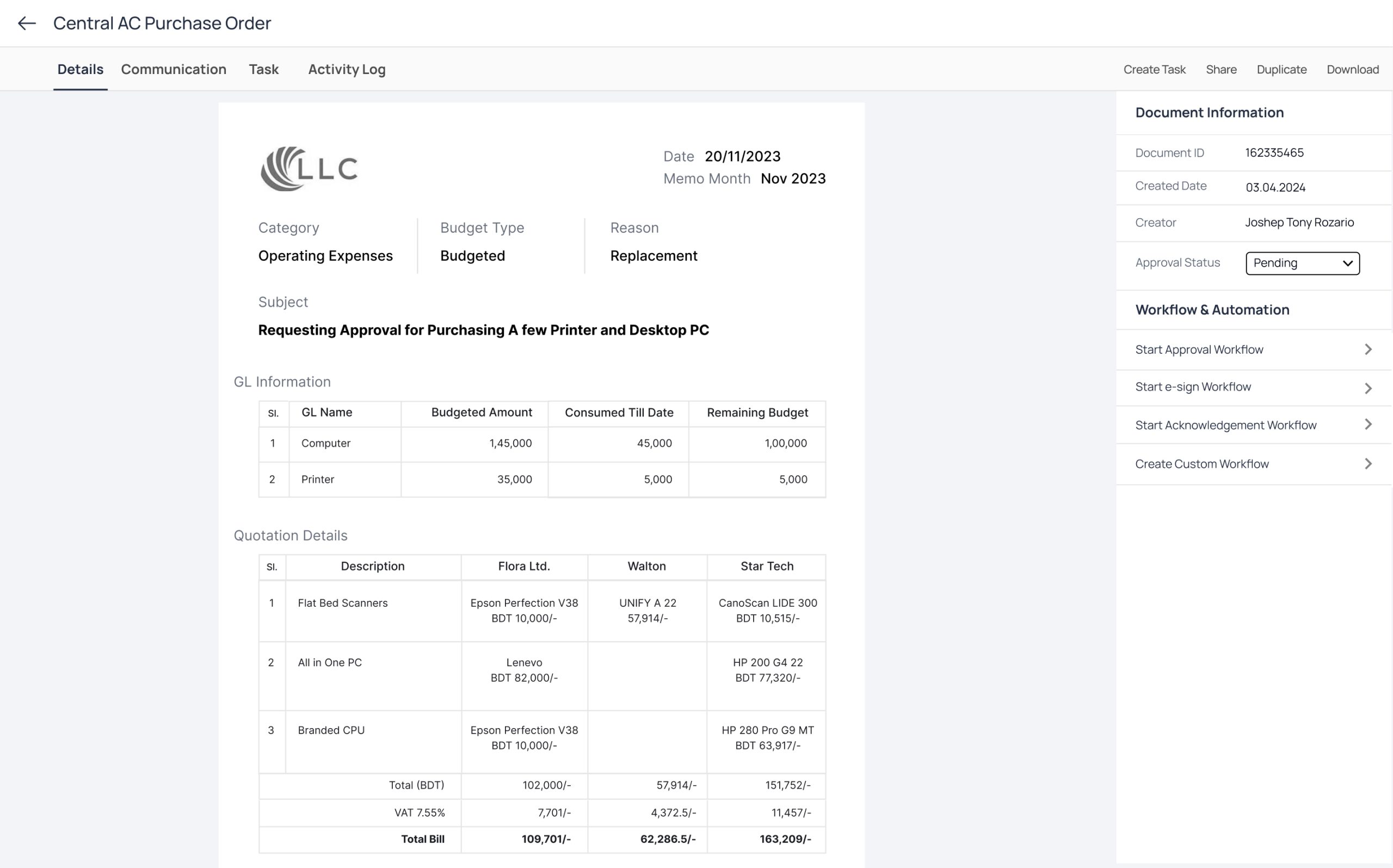
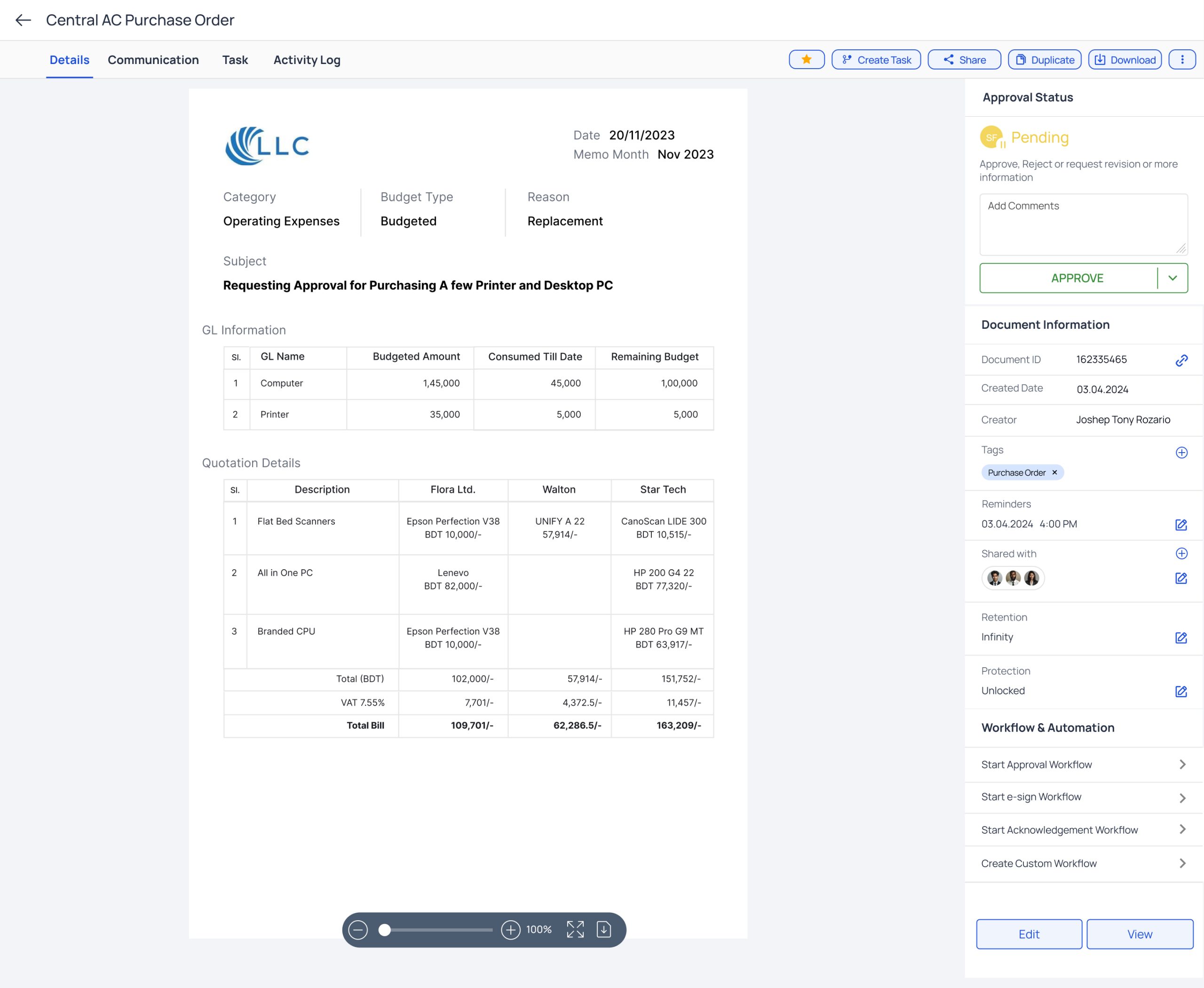
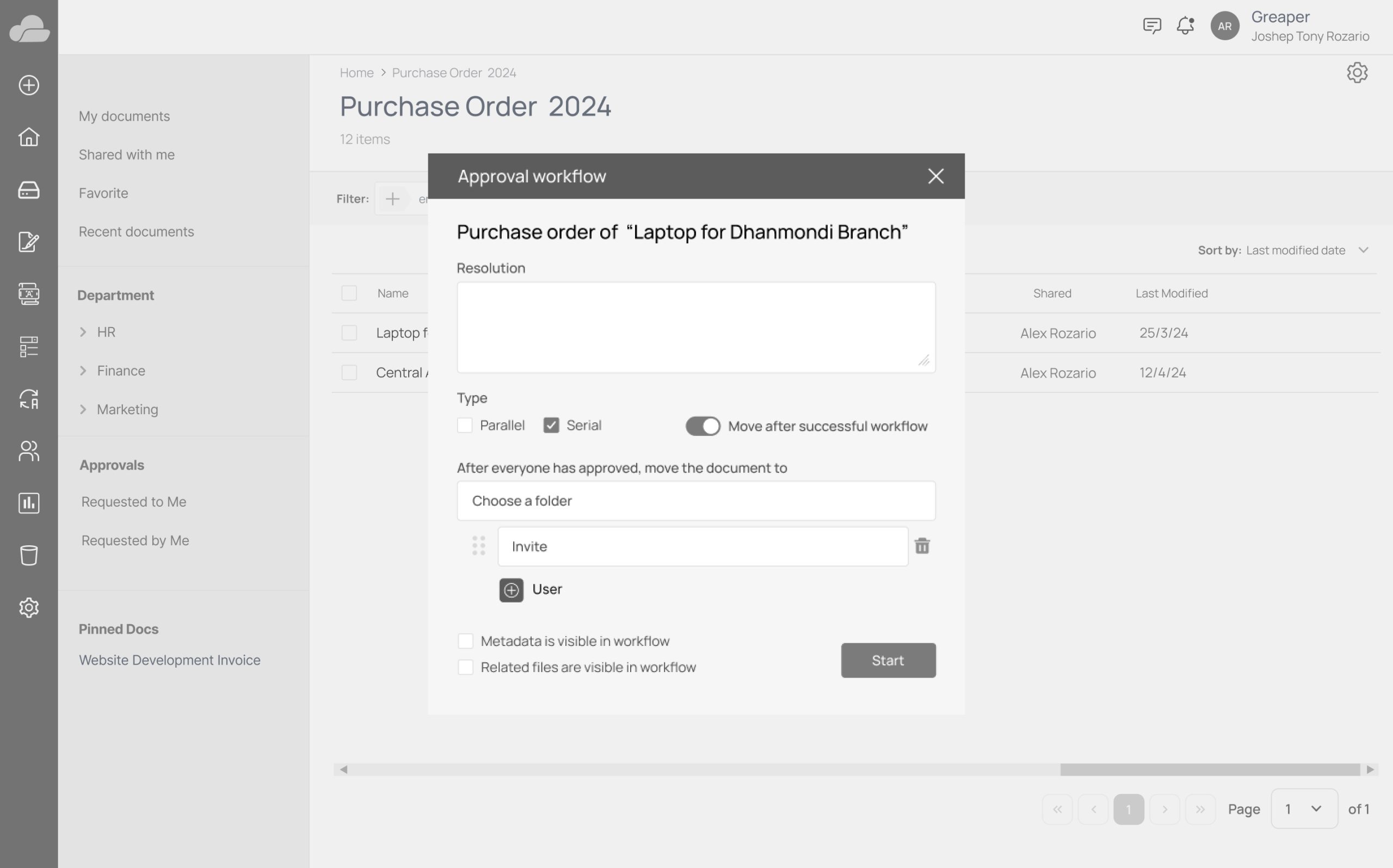
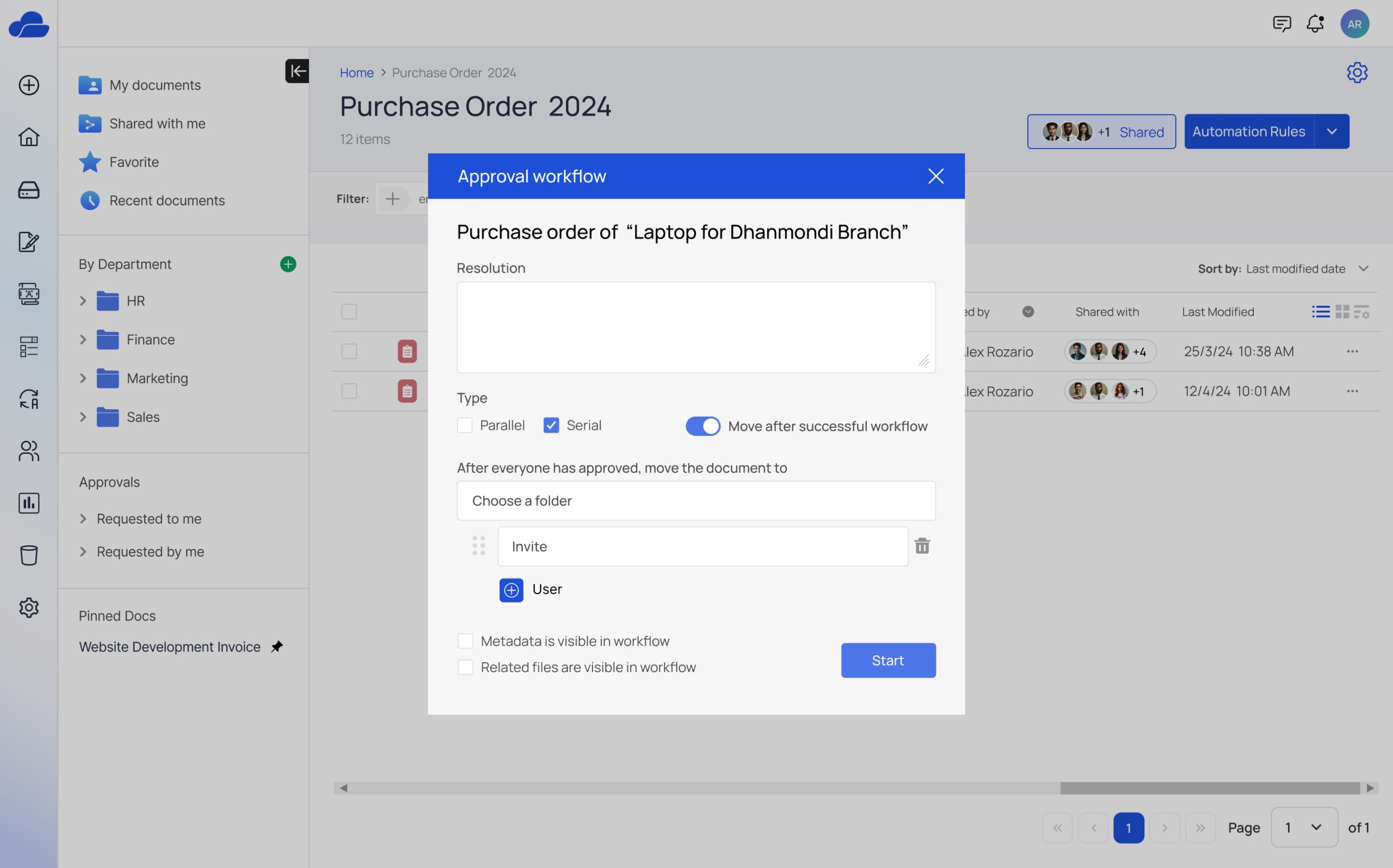
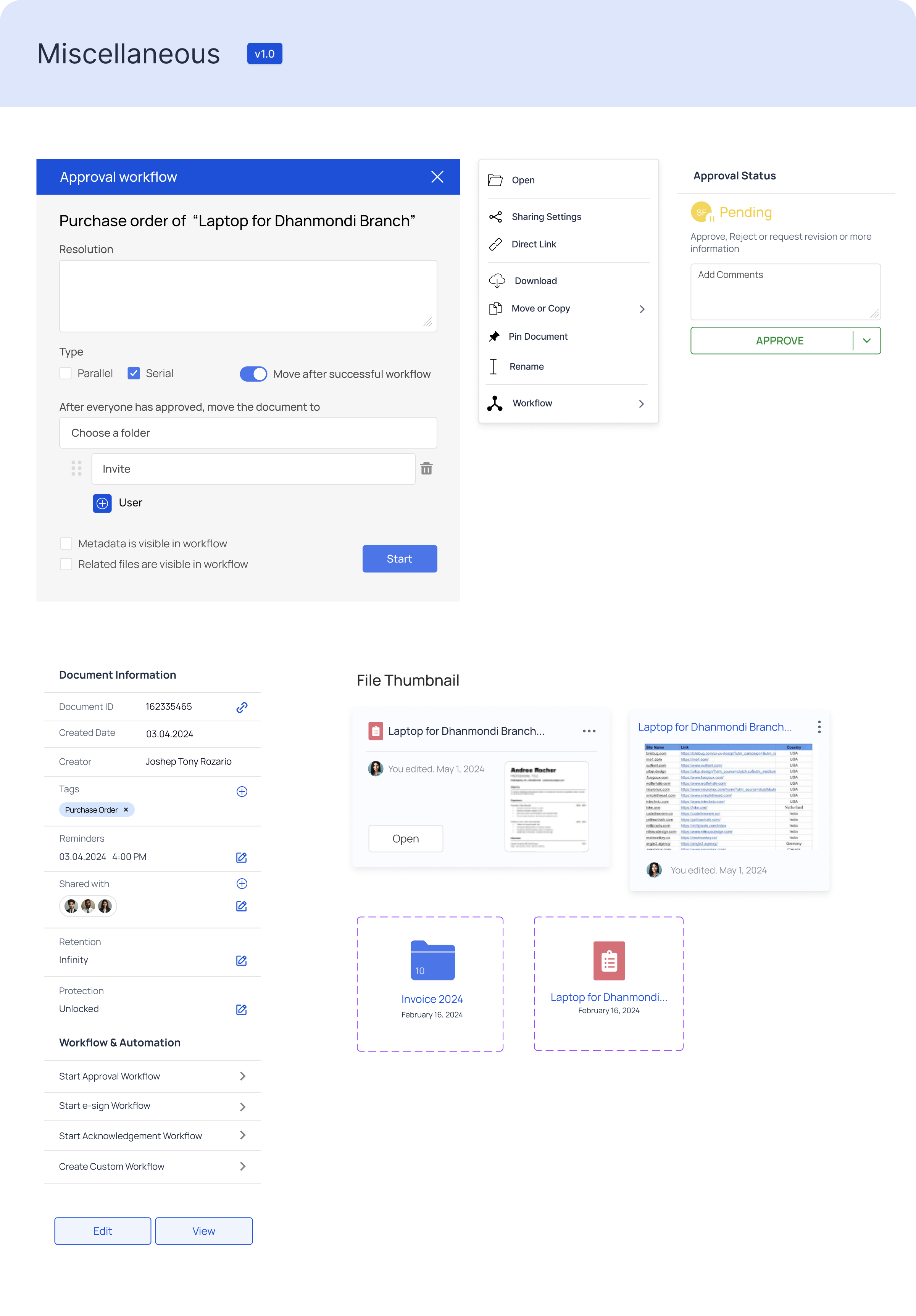
Based on user stories and feedback, we designed and iterated on the user interface to meet user needs effectively.
Before
After
Usability Testing
Ease of Use: Users found the document approval interface intuitive and easy to navigate. The detailed view of documents was particularly appreciated.
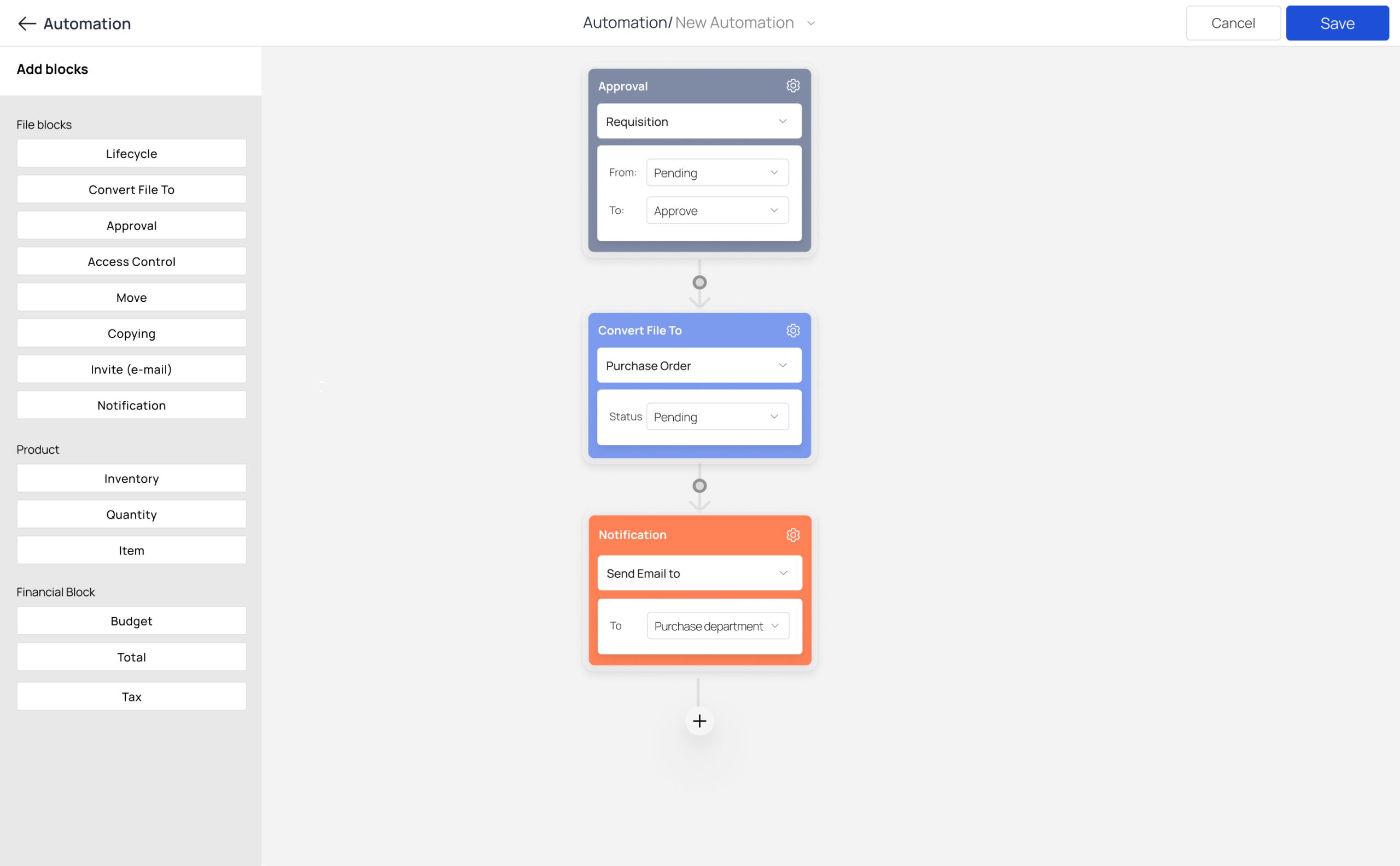
Workflow Configuration: Users highlighted the flexibility and ease of creating and managing approval workflows. However, some users requested additional customization options for complex workflows. In response to user requests, we introduced more customization options for complex workflows, allowing users to tailor workflows to their specific requirements.
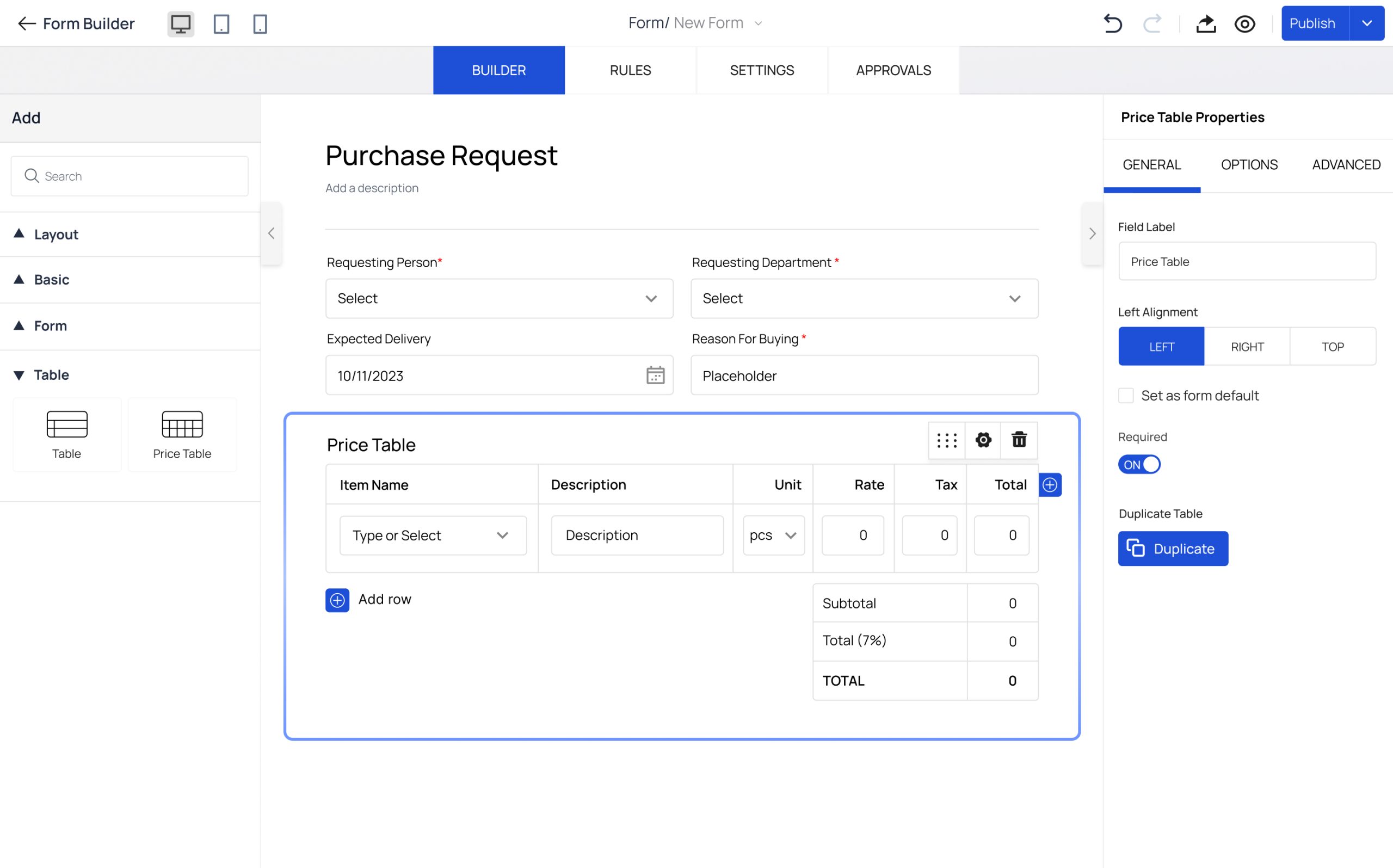
Request for Form Builder: During usability testing, some users expressed a desire for the ability to create customizable forms. They emphasized the need for features that ensure consistent data collection, streamline approval workflows, and improve collaboration and compliance. Implementing these features would result in a more efficient and user-friendly document management process.
We design a form builder tool that allows users to create customizable forms to meet their data collection needs.
Post-Usability Testing Improvements
Enhanced ease of use with improved navigation and detailed document views.
Introduced more customization options and automation for workflow configuration.
Implemented a customizable form builder for consistent data collection and streamlined approvals.
Style Guide
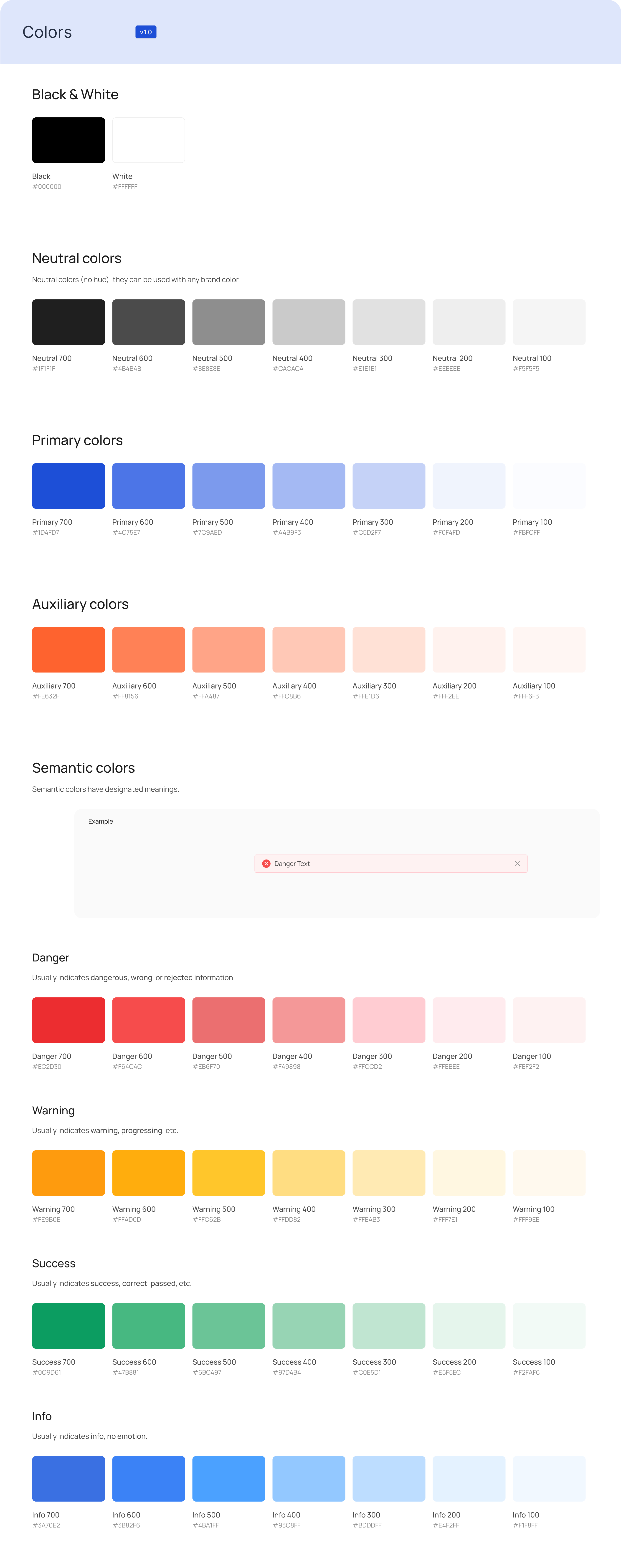
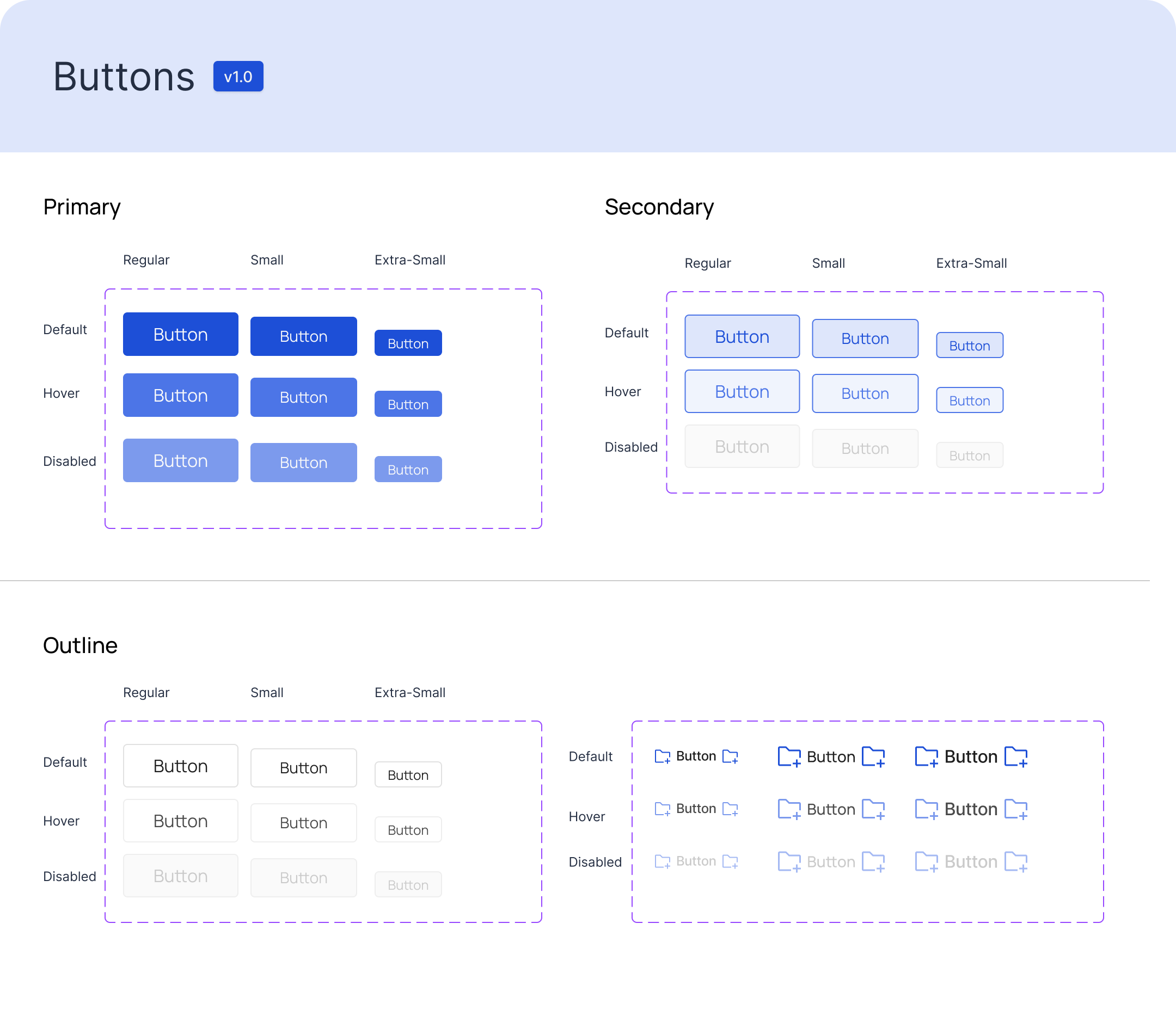
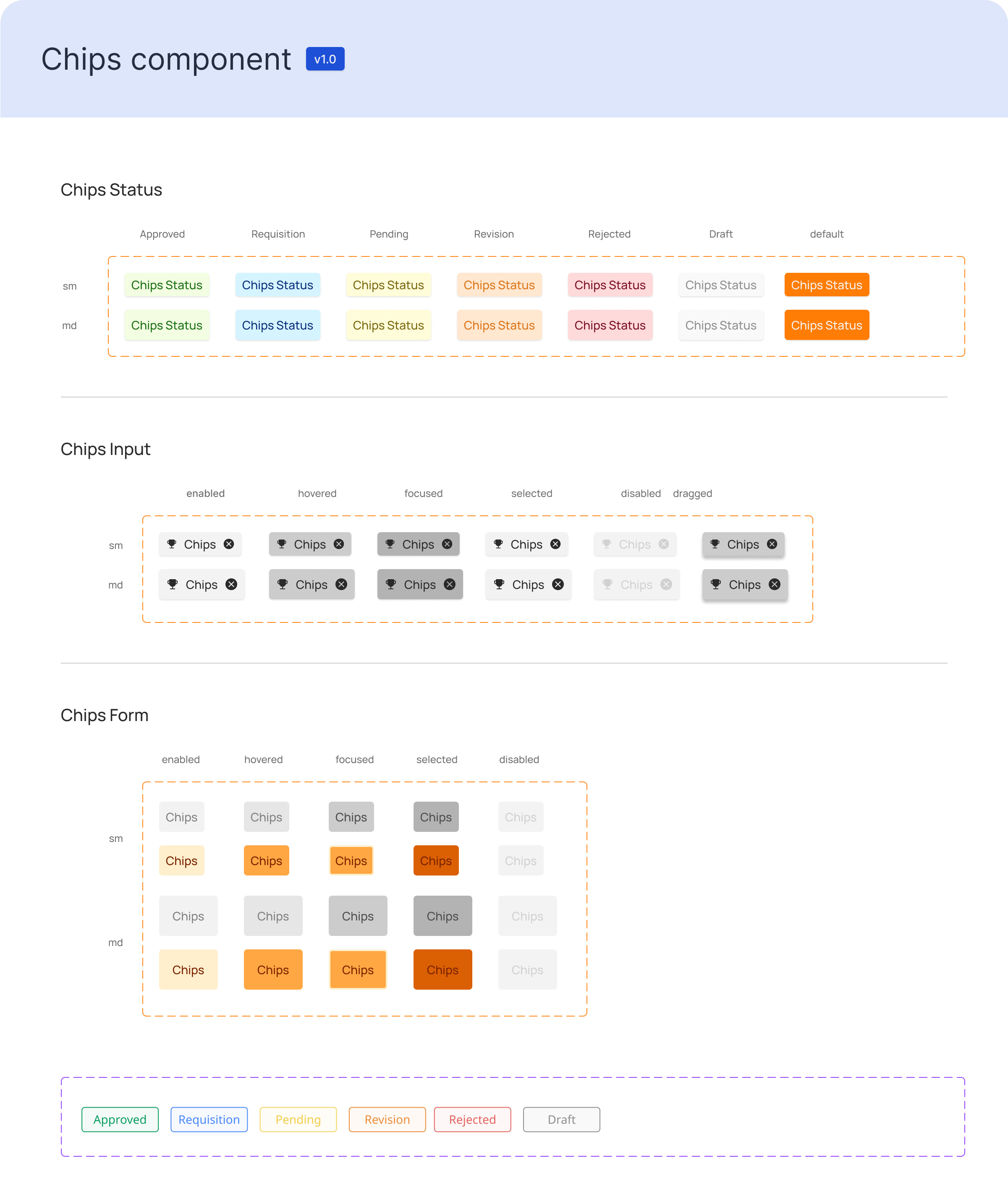
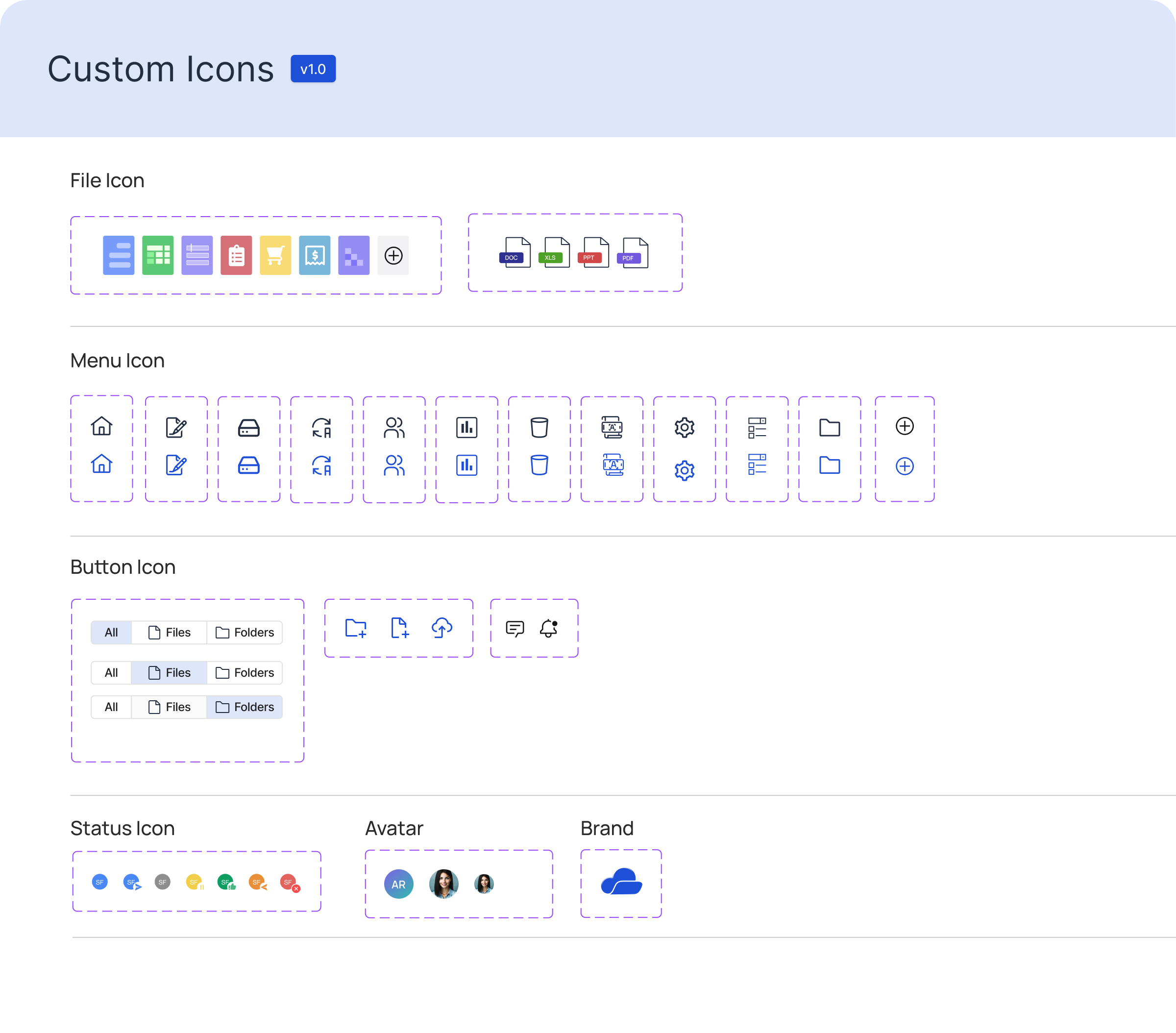
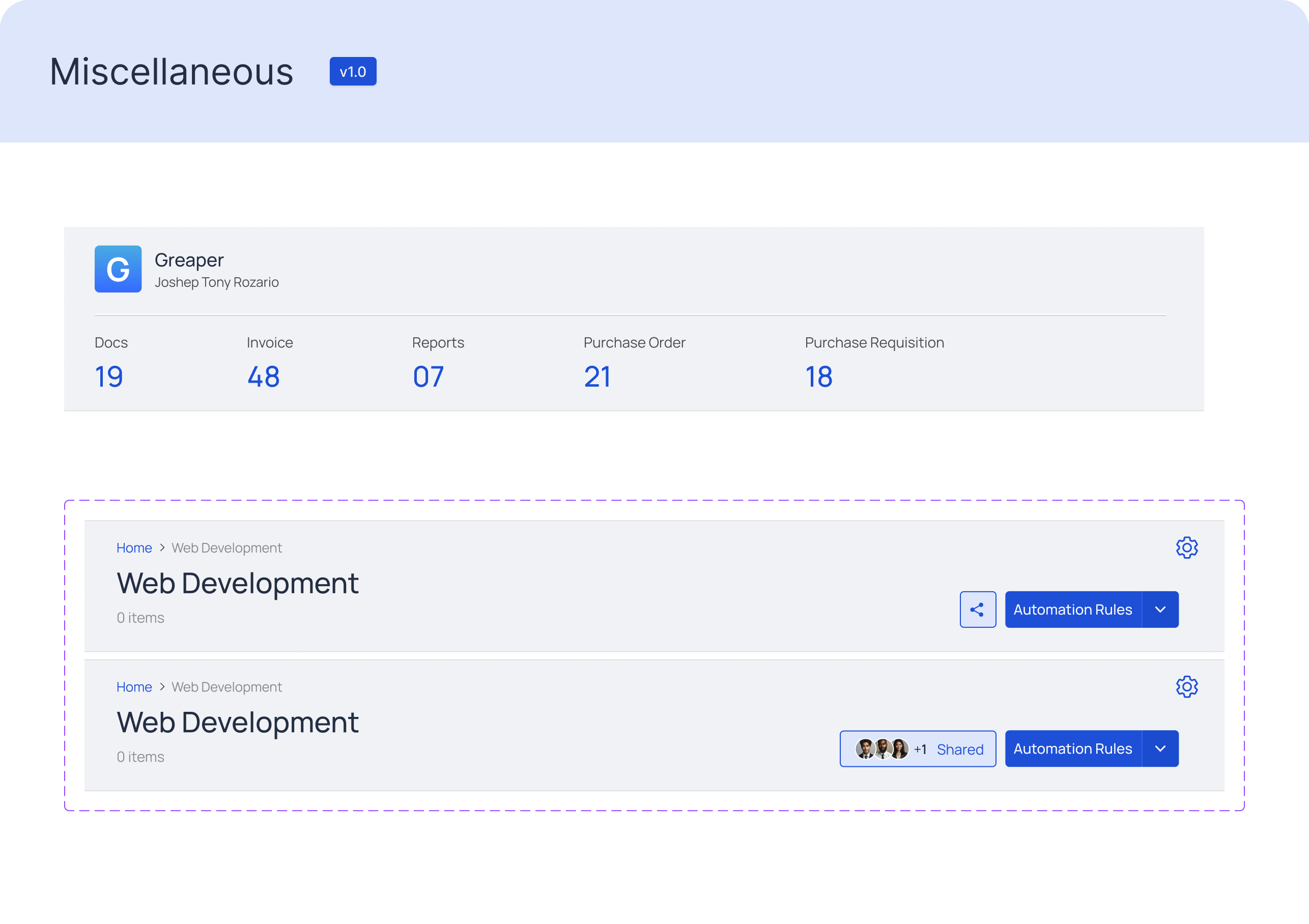
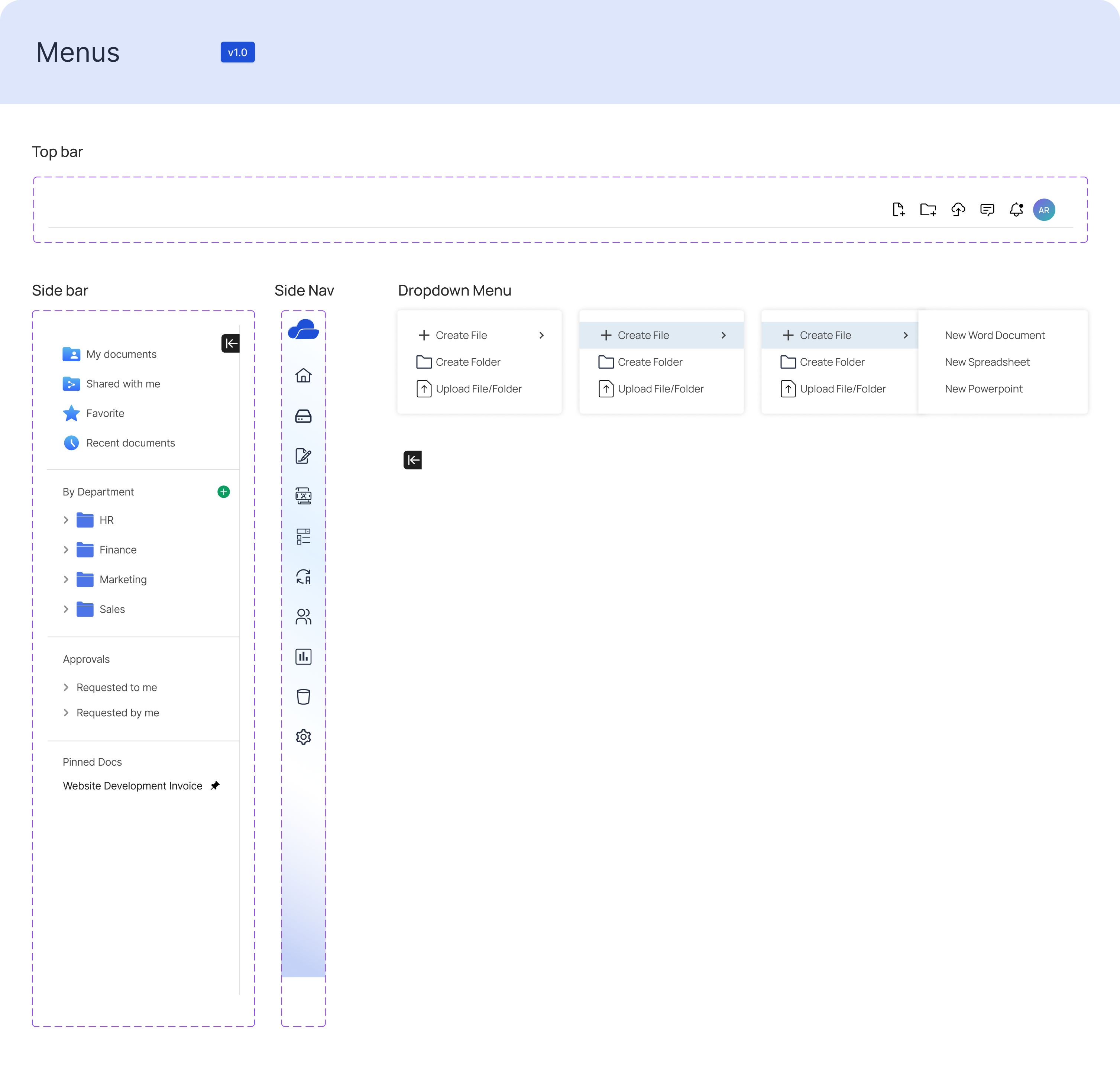
We created a style guide in Figma to provide clarity on how to use language and visuals effectively. It helps avoid ambiguity and misinterpretation by establishing clear rules for writing, formatting, and design.
Reflection
Our document management system was significantly improved through iterative design and continuous user feedback. By directly addressing user needs and incorporating their suggestions, we created a more intuitive and powerful tool that increases productivity and user satisfaction. This process demonstrated the significance of user-centered design and the value of iterative development in developing effective solutions.